
ES · EN
Contact us
Counts, occupancy and alarms with cameras and LiDAR
Counts vehicles and pedestrians, measures waits and occupancy, and raises alarms at counting points, car parks, gates and roads, using installed IP cameras or LiDAR.
An access with barriers: each vehicle classified as it crosses.
Our own building block that brings together perception, tracking, analytics and privacy, adapted to each site.
Seevia Horus turns the video from the cameras on a site or in a city into management data: how many vehicles and people pass, where, how long they wait and when each area saturates.
It uses installed IP cameras of any brand and LiDAR, and adds sensors only where coverage is missing.
Zones, thresholds and alarms are defined with each client, and the alert arrives when an area starts to fill up.
Video is processed on a local device or in the cloud, and your systems receive counts, occupancy, waits and alarms.
Illustrative diagram
+1 M
vehicles analysed at entrances, car parks and roads
96 %
accuracy, validated over 3 months of real deployment
01
Video from IP cameras of any brand or LiDAR; where coverage is missing, we mount the sensors.
Counting by lane from a traffic camera.
02
Vehicles by type and pedestrians, each with an anonymous identifier.
Each vehicle tracked along its path, with an anonymous ID.
03
Free spaces, queues, usage times and alarms based on your thresholds.
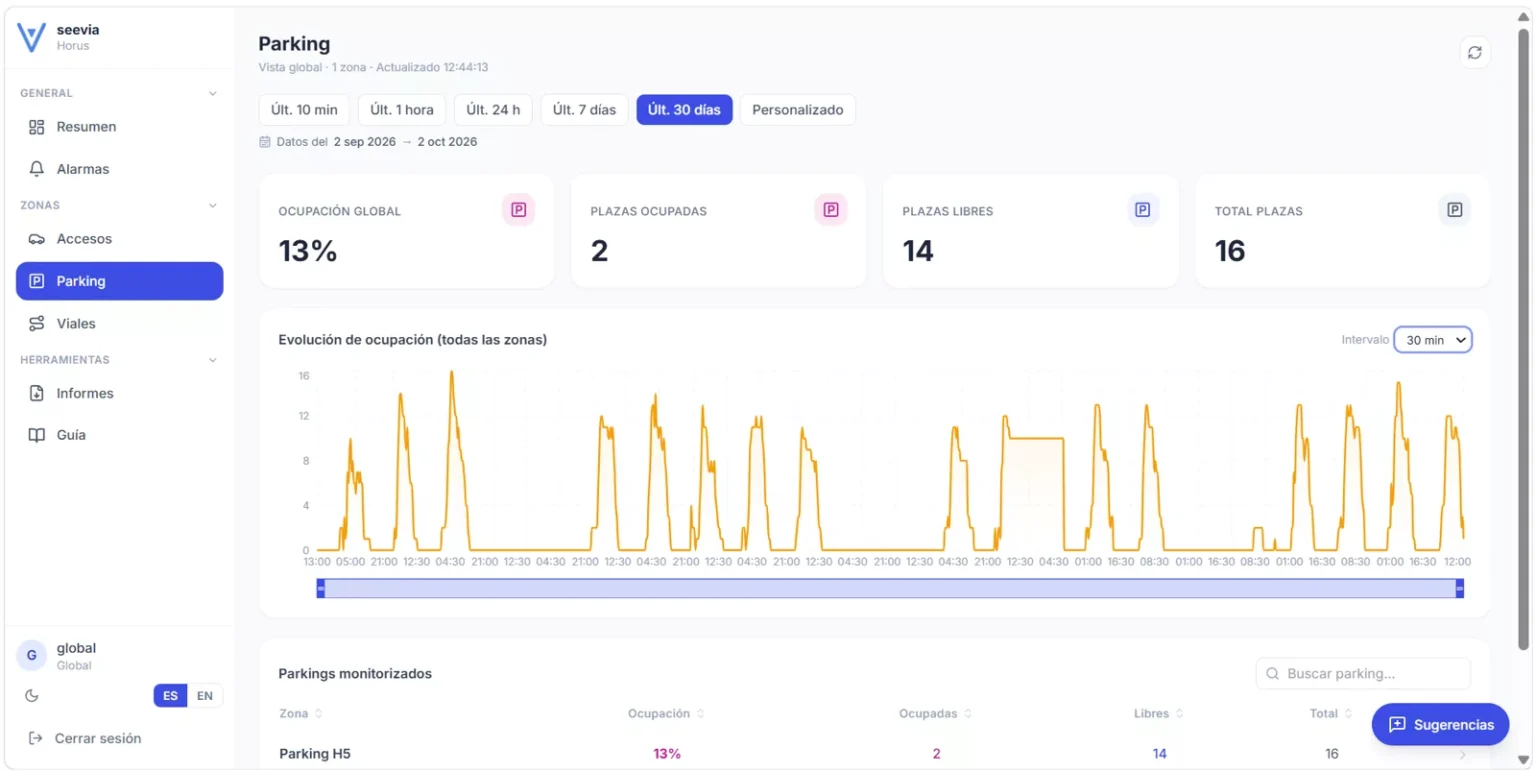
Car park occupancy through the day, on the Seevia Horus dashboard.
04
Indicators to your dashboard and to your systems through an API; images stay on the local device.
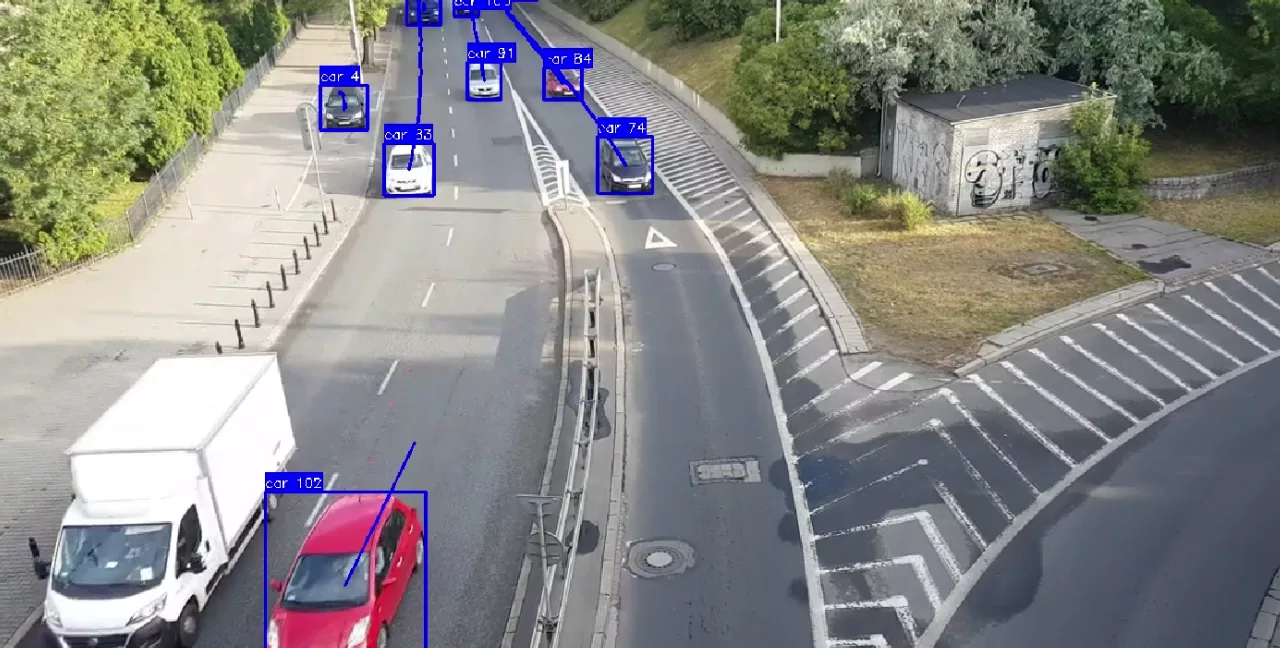
Vehicle counts by lane from a raised camera.
In each project we choose and mount the equipment the case needs. These are the elements we work with.
IP cameras and LiDAR already installed, or those we mount on poles, street lights and gantries where coverage is missing.
On a local device next to the cameras or in the cloud; only data is sent.
Dashboards, alerts and APIs into your systems.
A major wholesale food market
We anticipate congestion at gates and roundabouts with the existing infrastructure: we use the security cameras already installed and give the control centre counts per lane.
See the project →
ASVIC · R&D funded by CDTI
We designed the fixed camera and processing system for the site of a major European car manufacturer (OEM) to give the autonomous vehicle information its own sensors cannot see: it detects vehicles and pedestrians, free spaces, people waiting and improper use, and sends alerts to the vehicle and the control centre. Validated with real recordings and in simulation.
See the project →
Usually yes. We first study what each camera sees and only add cameras where coverage is missing.
No. Processing is local and only data is sent: counts, occupancy, waits and alerts.
Yes. The usual approach is to start with one access or car park and extend in phases.
Tell us your case and we will look at it with your data.
Next
Seevia Drive